IPTV payment here uses what is already in your wallet. Major credit and debit cards go through a secure checkout, iPhone and Android owners can tap their phone wallet instead, and anyone happy to wait on their bank can send a transfer and keep 10% of the price. Choose a plan, a checkout link comes back on WhatsApp, and the login is emailed once the money is confirmed. No contract, and no card kept on file for a surprise renewal.
Compare
Four IPTV payment methods, side by side
All four IPTV payment routes buy the same plan and the same login. Only the speed and the final figure change.
| Card | Apple Pay | Google Pay | Bank transfer | |
|---|---|---|---|---|
| Where you approve it | Checkout page from our link | Same page, on iPhone, iPad or a Mac in Safari | Same page, in Chrome or on an Android phone | Your own banking app, using details we send |
| One TV 4K for a year | $69 | $69 | $69 | $62.10 |
| When the login leaves | Right after approval | Right after approval | Right after approval | Once the transfer reaches us |
| Card number typed in | Yes, on the checkout | No, the wallet handles it | No, the wallet handles it | No card involved |
| Covered by the 60-day refund | Yes | Yes | Yes | Yes |
Data
What happens after you pay
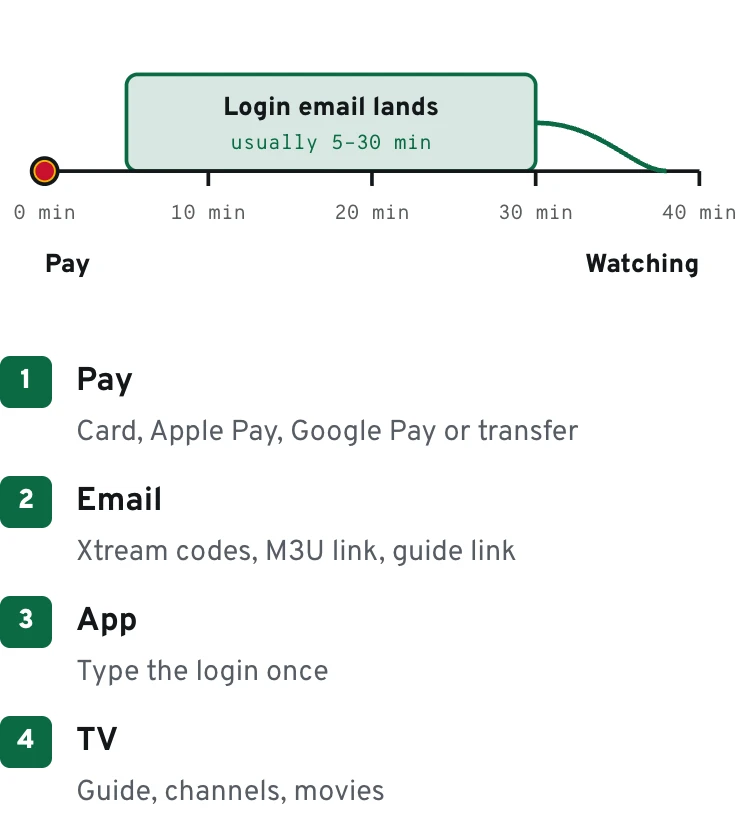
How it works
How the IPTV payment link reaches you
Orders start with a short chat rather than a shopping cart. That way you see the plan name and the dollar amount before anything is charged, and a real person has already checked that the plan matches your TV setup.
Choose the plan
Open the seven plans and screen options and tap the WhatsApp button on the one you want. The message opens with the plan and its price already written in.
Give us your email
Reply with the address where the login should arrive. Read it back once: a missing letter in the email is the usual reason a delivery looks late.
Receive the link
Back comes a secure checkout link that takes cards and both phone wallets, or our bank details if the 10% saving appeals more.
Confirm the total
The checkout shows the plan and the total in USD before you approve. If the figure differs from the plan you chose, stop there and message us.
Open your inbox
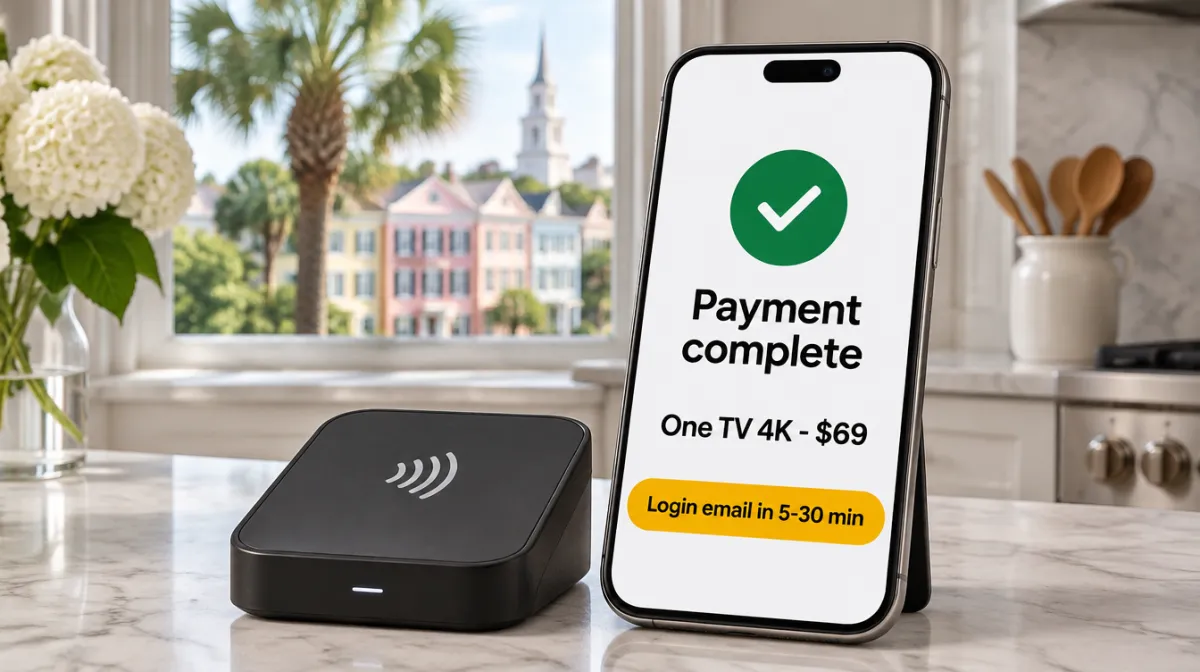
Approval by card or wallet is near instant. Your Xtream codes and M3U link then follow by email, nearly always before thirty minutes are up.
Buying for a parent in Florida or a student out of state? Put their email in step two and the login lands directly with them, while the IPTV payment stays on your card.
Phone wallets
Apple Pay and Google Pay: the quickest checkout
On an iPhone, the Apple Pay button asks for Face ID or Touch ID and that is the whole IPTV payment. Google Pay does the same with your screen lock on Android. Neither wallet hands your real card number to the checkout, which is why plenty of buyers prefer a mobile payment here.
If the wallet button is missing, the browser is nearly always the reason: Apple Pay appears in Safari, Google Pay in Chrome. Switch browser or use the card form; the price is identical.
Transfer amounts
Bank transfer: the exact amounts to send
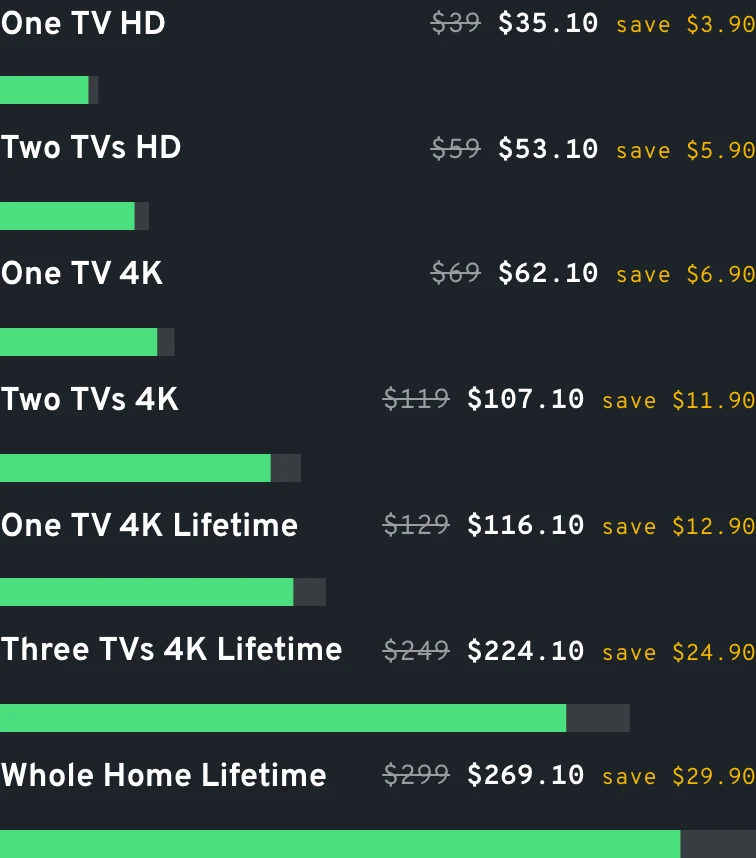
Send the figure in the right-hand column, cents included, and add the reference we give you so we can match the money to your email. These seven are the only correct transfer amounts.
| Offer | Card or wallet | Bank transfer (−10%) |
|---|---|---|
| One TV HD, 1 year | $39 | $35.10 |
| Two TVs HD, 1 year | $59 | $53.10 |
| One TV 4K, 1 year | $69 | $62.10 |
| Two TVs 4K, 1 year | $119 | $107.10 |
| One TV 4K Lifetime, 1 device | $129 once | $116.10 |
| Three TVs 4K Lifetime | $249 once | $224.10 |
| Whole Home Lifetime, up to 4 screens | $299 once | $269.10 |
Data
Transfer amounts, plan by plan
Transfers
What the transfer route asks of you
A transfer is the slower road to the same login. It arrives when your bank releases it, and that depends on your bank, the cut-off time and the day of the week. A transfer sent late on a Friday often shows up after the weekend.
So if you want to watch tonight, a card or wallet makes more sense. If the 10% matters more than a day or two, the transfer is the smart pick, especially on Whole Home Lifetime: $269.10 instead of $299.
Records
Your statement, your card details, your bank
The charge shows under a neutral merchant label, so nothing on a shared family statement spells out what was bought.
Card data for every IPTV payment is handled end to end by the payment provider. Our team works from the order note alone: plan, dollar figure, approved.
Card issuers sometimes pause an online charge they haven't seen before. Approving it in your banking app usually clears it in a minute; Apple Pay or Google Pay is the other way around it.
Data
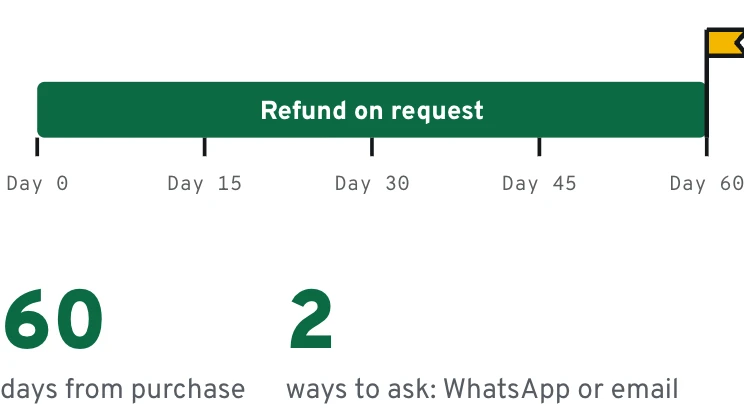
Paid, then covered for 60 days
Questions people ask before they pay
Are the prices in US dollars?
Yes. Every price and every transfer amount on this site is in USD, and every IPTV payment is charged at the same figure you saw on the plan.
Will a yearly plan charge me again on its own?
No. Your card is not stored for renewals. A WhatsApp nudge arrives a little before the plan's anniversary, and a second year happens only on your say-so.
Which way to pay gets me watching fastest?
Apple Pay or Google Pay, followed closely by a card. Both confirm within moments, so the login can leave right away. A transfer waits for your bank.
Does the refund work the same for a transfer?
Yes. The 60-day window counts from the purchase date whatever method you used. Ask through the contact page, by WhatsApp or email.
Another question? Our team answers on WhatsApp, 7 days a week. Message us on WhatsApp
Last exit before the plans
Pick a plan, then choose how to pay
One message with the plan you want is enough to start an IPTV payment. We reply in that chat with the IPTV payment link, or with bank details if you chose the transfer.